Table of Contents
Case Study Showcase Module Documentation
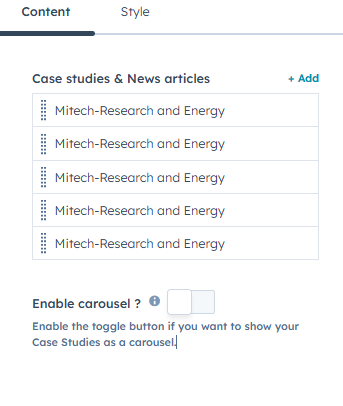
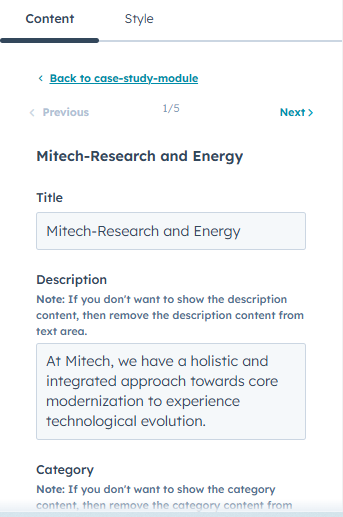
The "Case Study Showcase" module offers four customizable design layouts to present your work. Users can add titles, descriptions, and categories, with an optional carousel feature to display multiple case studies dynamically, making it perfect for portfolios and project highlights.
The "Case Study Showcase" module offers four customizable layouts to display your work. Add titles, descriptions, and categories, with an optional carousel to showcase multiple case studies dynamically.
Customizable Buttons: Add buttons to each case study with a title, description, and category.
Optional Carousel: Display multiple case studies in an interactive, rotating carousel format for a dynamic user experience.
Responsive Design: All layouts adapt to different screen sizes and devices.
Easy Navigation: Smooth scrolling or click-through functionality for seamless exploration of your case studies.
Hover Effects: Available in card layouts to reveal additional details when users hover over a case study.


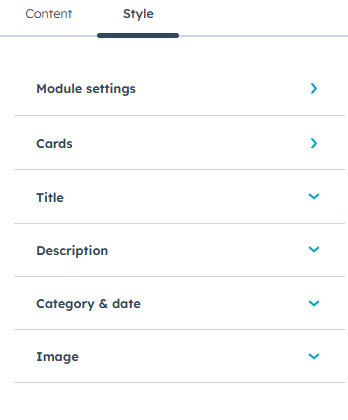
Customise the style settings
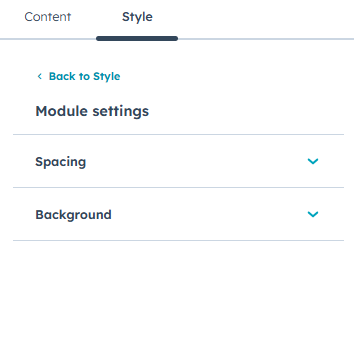
customize module settings inner spacing, background
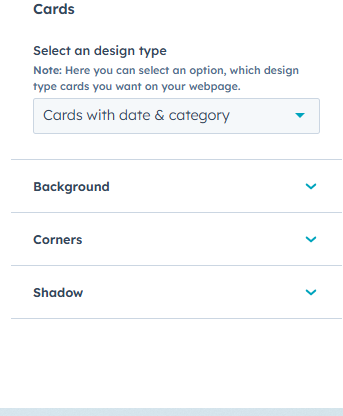
customize cards inner design type and background option and corner, shadow
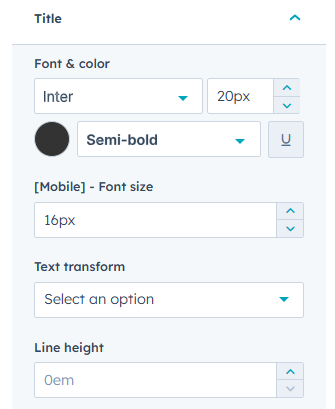
customize title inner font & color, mobile font size, text-transform, line height
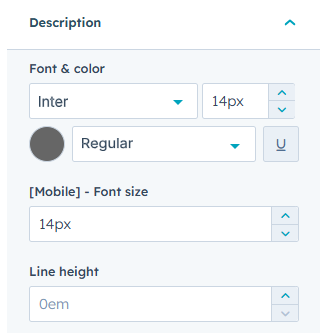
customize description inner font & color mobile font size and line height
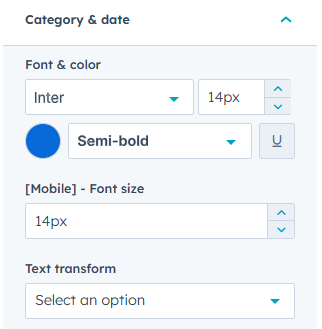
customize category & date inner font & color and mobile font size text-transform
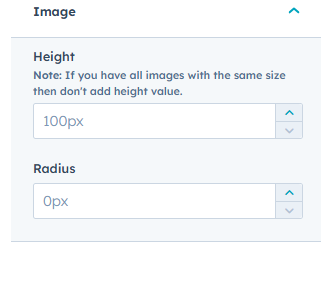
customize image height and radius
The "Case Study Showcase" module offers a flexible and visually engaging way to present your work. With customizable layouts, titles, descriptions, categories, and a dynamic carousel option, it’s an ideal solution for portfolios, project highlights, and client showcases.