Dataview Enhancer

Introduction

Introducing "Dataview Enhancer" Step into a world where data presentation meets clarity. With our intuitive tools, organizing and displaying your work becomes a breeze. Convert complex data into digestible percentages and bring it to life with captivating graphs. Seamlessly switch between views for a comprehensive analysis. Welcome to a new era of elevated data presentation with DataView Enhancer.


SUPPORT:

If you need assistance at any step of the way; get in touch with us at ProductSupport@transfunnel.com
And get Premium Support from Transfunnel - HubSpot's Elite Solutions Partner

Dataview Enhancer

Possible Layouts

Welcome to "Dataview Enhancer"  where data presentation meets clarity. Organize your work efficiently with our tabs filter. Convert complex data into percentages and create compelling graphs. Switch between views seamlessly for comprehensive analysis. Elevate your data presentation with DataView Enhancer.

  • Tabs Filter :Use the tabs filter to organize and display your work based on charts efficiently. This feature helps in managing large datasets by categorizing information into easily accessible sections.
  • Percentage Format: Present data in percentage format to simplify complex numbers and make comparisons easier. This approach enhances the audience's ability to understand the proportional significance of the data.
  • Graphs:Utilize various graphical representations, such as bar graphs, line graphs, and pie charts, to visually illustrate data trends and patterns, making the information more digestible.
  • Clarity and Comprehension:Improve the clarity and comprehension of your data presentation by offering varied data views. This helps in highlighting key insights and making the data more accessible.
  • Responsive and mobile-friendly The "Our Offerings with Animations" module is designed to provide optimal viewing experiences on various devices, including desktops, tablets, and mobile phones. With its responsiveness, your page will adapt seamlessly, ensuring a consistent and engaging experience across all platforms. 
  • Customisation : The “Our Offerings with Animations” module comes with a bunch of customisations, all of which you can control to give the user a seamless experience in tandem with your website’s colours, style, and design. 

Content features:


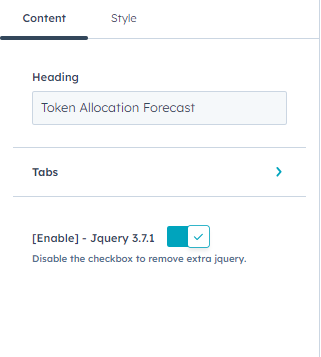
Customise the heading content and Tabs settings.
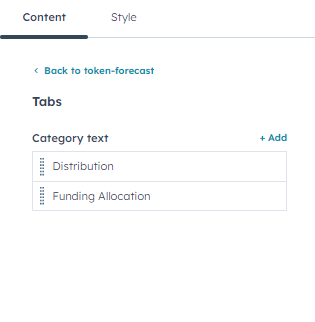
Customise category text in the tabs and add more category text.
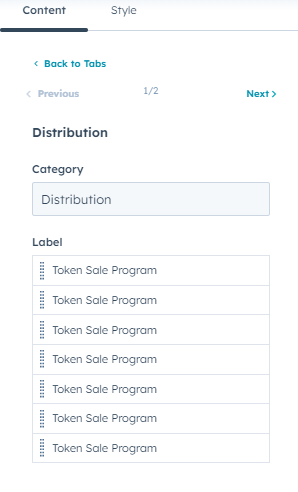


In category  text settings, you can customise category and label.
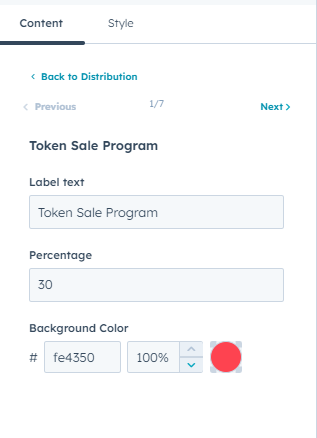

In label settings, you can customise label text, percentage, and background color.

Style features:
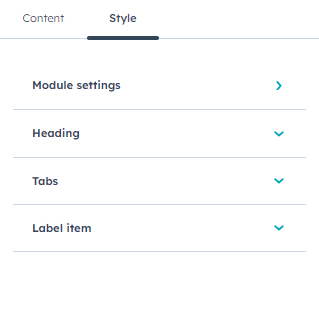
In module style settings, you can customise the module style, heading, tabs, and label item.
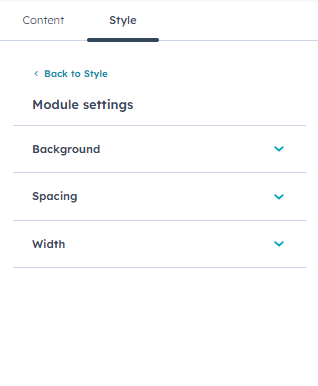


In module style, you can customise the spacing, background and container settings. In spacing setting, you can customise the margins and paddings.
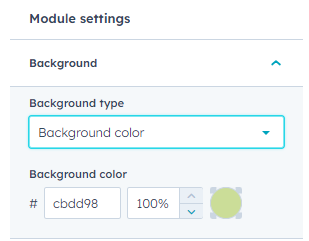

In background settings, you can customise background type, colour, gradient.
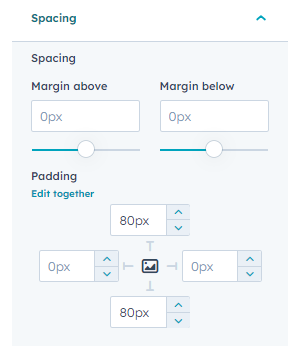


In spacing settings, you can customise spacing margin, paddings
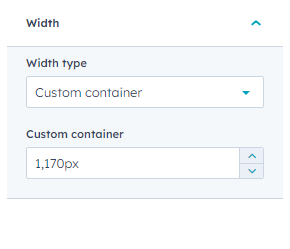
you can customise module section width default full width, and custom container.
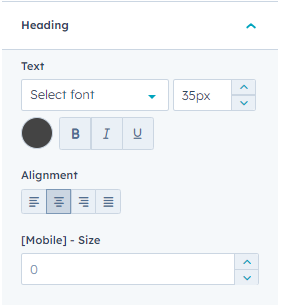

you can customise heading group in text settings and alignment with mobile font size.
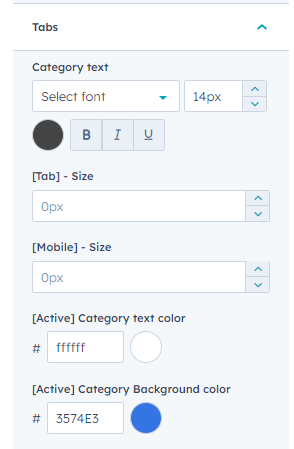
you can customise tabs inner category text settings, mobile, tablet font size with active text color,background color.
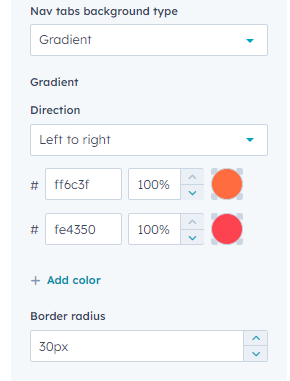

you can customise nav tabs background type and border radius.
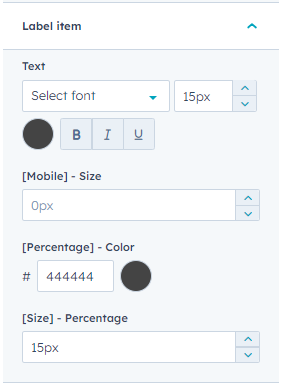
you can customise label inner text settings mobile size, percentage color, and font size.

Conclusion:

The "Dataview Enhancer" offers a seamless solution for data presentation, simplifying complexity into clear insights. With intuitive organization and engaging visualizations, it enables efficient analysis. Welcome to a new era of data clarity and impact with DataView Enhancer.