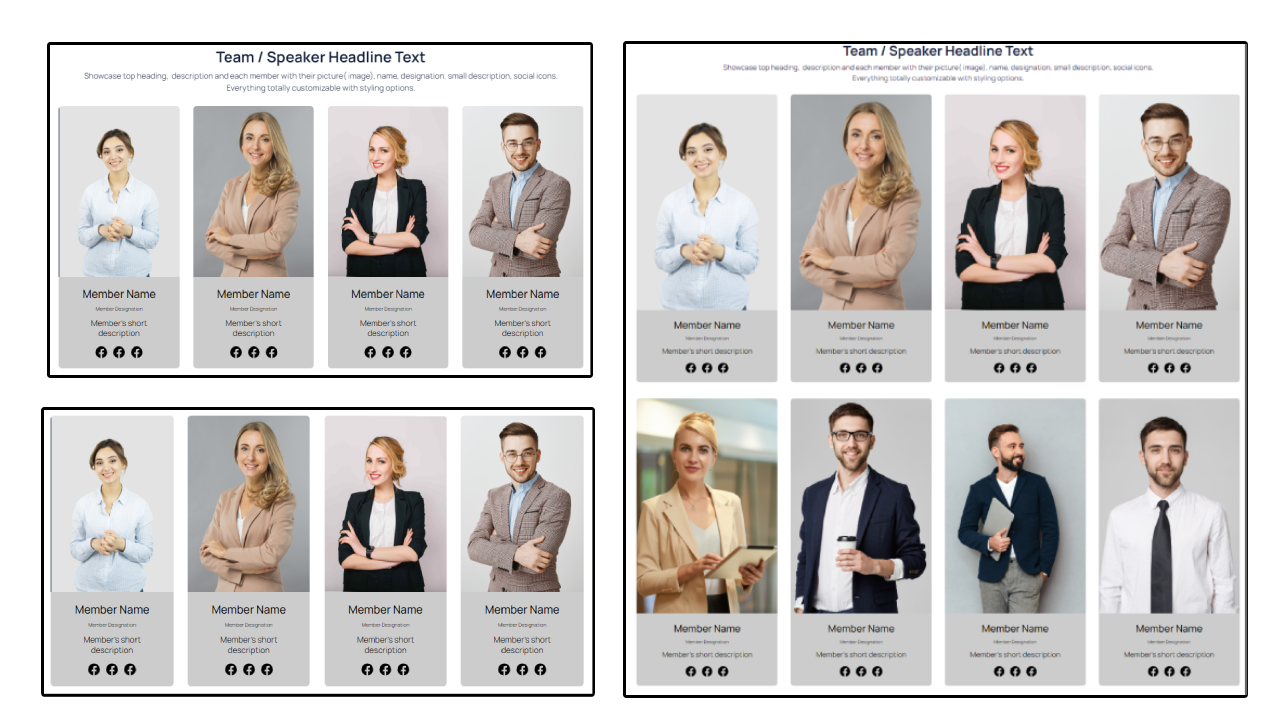
Team Member Speaker with Social Icons

Team Member Speaker with Social Icons Module

Introducing the Team Member Speaker with Social Icons module - an essential tool for enhancing your website's team section. With this powerful module, you can add speaker photos and details, including their name, title, and a brief bio, while also including social media icons to help visitors connect with your team. This documentation page is designed to provide you with a comprehensive guide to the module, including step-by-step instructions on how to use its various features. Whether you're a seasoned developer or just getting started with website building, this page will equip you with the knowledge and tools you need to create a professional-looking team section on your website. So, let's get started and explore the features of this module in more detail!

Team Member Speaker with Social Icons

Layouts

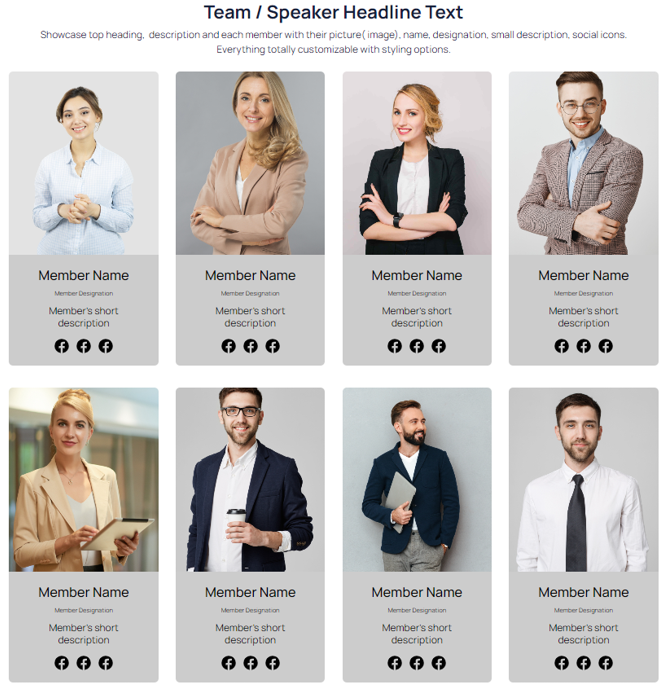
Showcase your important affiliations and team members/speakers with ease using the Logo Gallery Showcase Partners Sponsors Clients module. With a variety of customizable layout options, you can easily highlight your partners, sponsors, and clients, or feature your team members and speakers with headline text and detailed information. Choose from standard grid, advanced grid, or team/speaker view to create a stunning display that fits your website's design. With this flexible and powerful module, you can easily create an engaging and interactive logo gallery that captures your visitors' attention and highlights your organization's key relationships.

  1. Team/Speaker View with Headline Text: This layout option allows you to showcase your logos with a headline and description text. It is perfect for highlighting your partners, sponsors, or clients along with a brief introduction or statement. The logos can be aligned in a row or a column, and you can customize the size, spacing, and number of logos to fit your website's design.

  2. Standard Grid Layout: The standard grid layout is a simple and effective way to showcase your logos in a grid format. You can choose the number of columns and rows, as well as the spacing between logos. This layout is ideal for showcasing a large number of logos on a single page.

  3. Advanced Grid Layout with Member/Speaker Full Information: This layout option is perfect for showcasing your logos with additional information about each partner, sponsor, or client. You can add a photo, bio, social media links, and other relevant information to each logo. This layout option is ideal for highlighting your important affiliations and providing visitors with more in-depth information about each partner, sponsor, or client.


Module Features

The Team Member Speaker with Social Icons module comes equipped with a range of impressive features that allow you to create visually stunning team member profiles for your website. From customizable social icons to sleek speaker designs, this module has everything you need to showcase your team in the best possible light. With the module features in action, you can see for yourself just how powerful this tool can be. Watch as your team member profiles come to life with dynamic hover animations, customized social icons, and stylish speaker designs. The module's flexible customization options make it easy to create unique and visually striking team member profiles that are sure to impress. So why wait? See the Team Member Speaker with Social Icons module in action today and take your team member profiles to the next level.

Support

If you need assistance at any step of the way; get in touch with us at support@transfunnel.com.

overview-photo


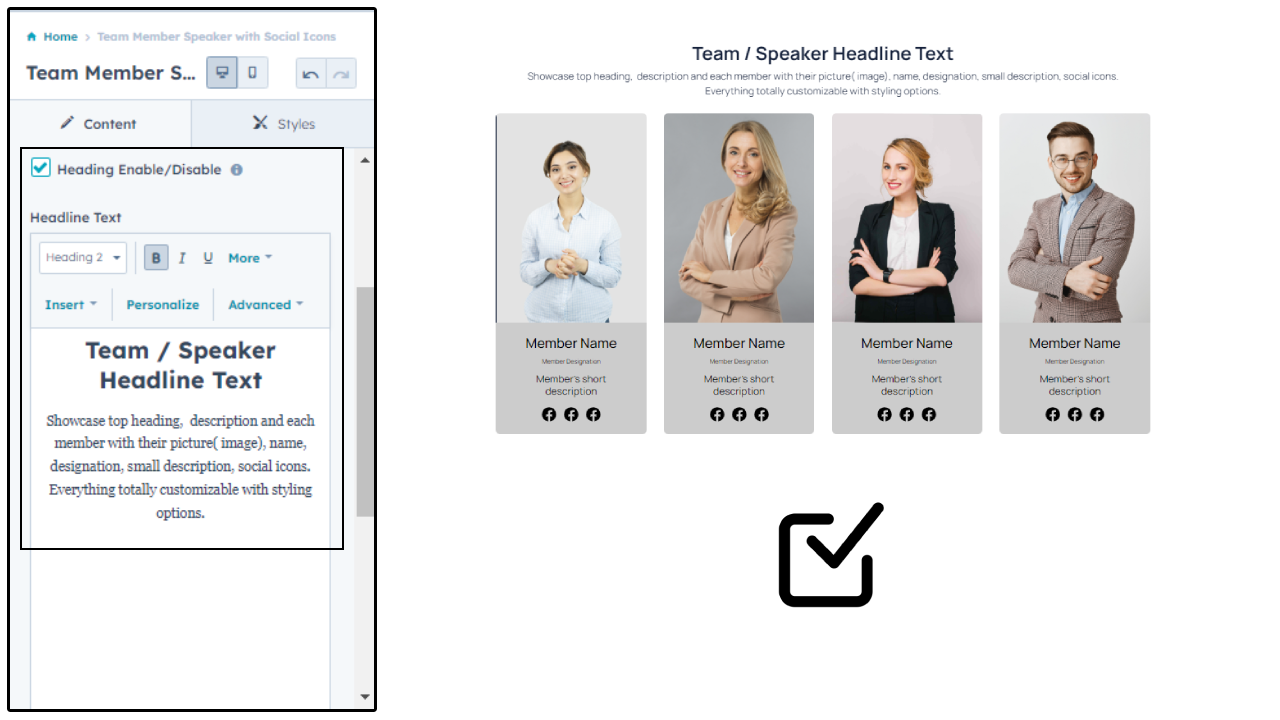
Add Headline

The "Add Headline" feature in this module allows you to add a title or heading to your team member speaker section. This is particularly useful if you want to draw attention to a specific team member or highlight a particular aspect of your team.

With this feature, you can choose from a variety of font styles, sizes, and colors to create a custom headline that matches your website's branding and design. You can also add additional text to provide context or further information about the team member section.

Adding a headline not only enhances the visual appeal of your team member speaker section but also helps to improve the overall user experience. By clearly indicating the purpose of the section and providing relevant information, you can increase engagement and encourage visitors to learn more about your team and your company.

Overall, the "Add Headline" feature is a simple but effective way to customize your team member speaker section and improve the presentation of your team members. Whether you're looking to showcase your team's expertise, highlight individual accomplishments, or simply add some visual interest to your website, this feature provides the flexibility and customization options you need to create a professional and engaging team member section.

add-headline


Customization

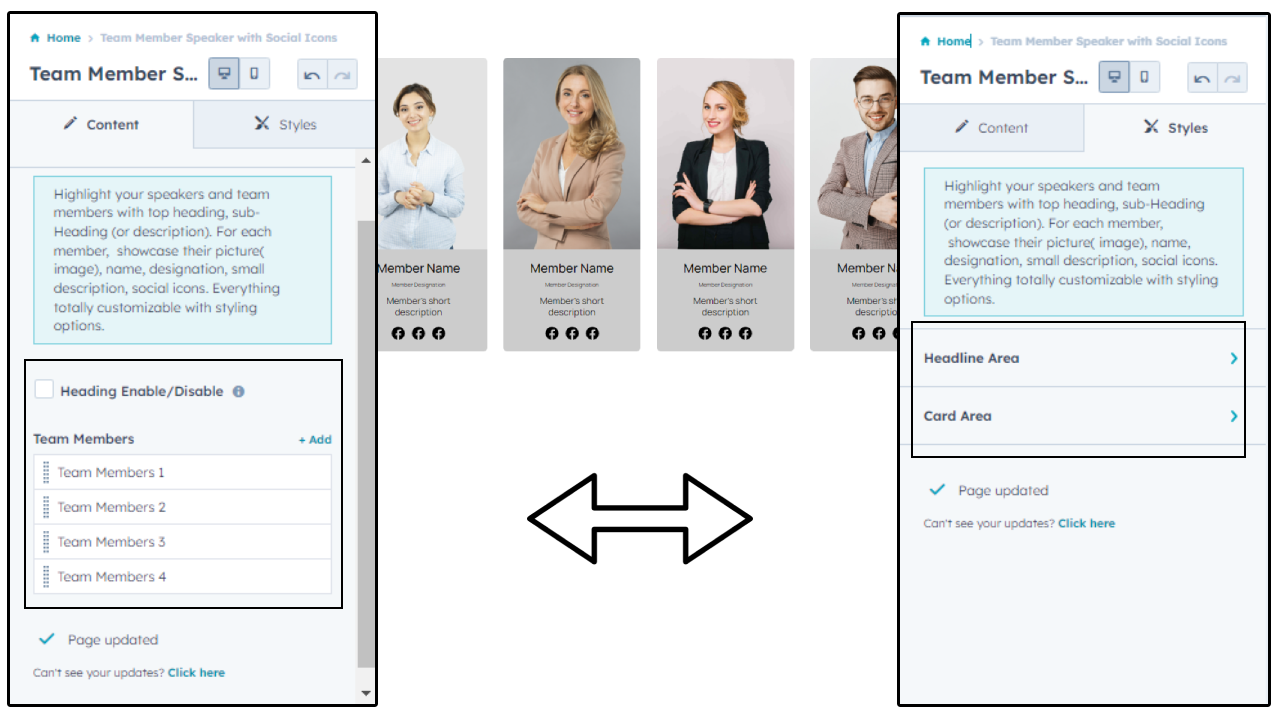
The Team Member Speaker with Social Icons module provides a wide range of customization options to help you create a unique and visually appealing team section on your website. With this module, you can fully customize the layout, design, and style of your team member's section, making it perfectly match your website's overall aesthetic.

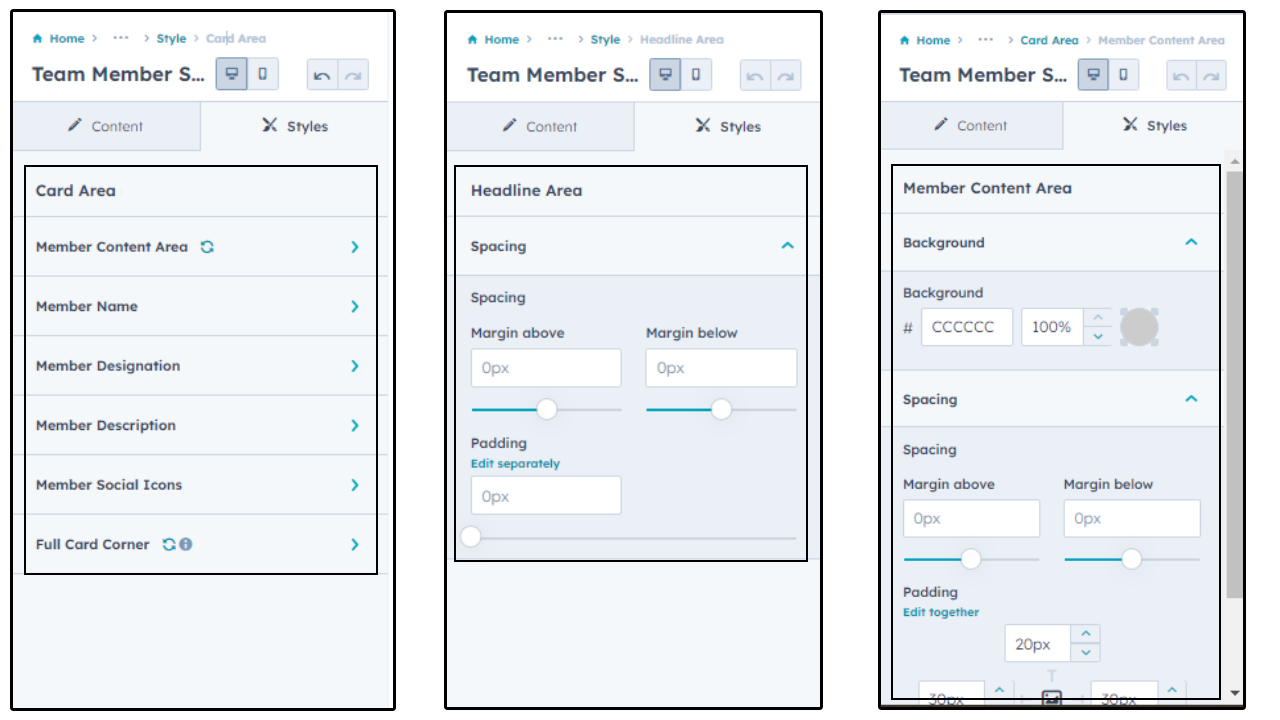
One of the key features of this module is the ability to customize the fonts, colors, and backgrounds of each element in your team section. This enables you to create a cohesive and consistent look across your entire website, making your team member's section stand out in a professional and polished way.

Another powerful customization option is the ability to add custom CSS code to your team section. This allows you to fine-tune the styling and layout of your team section, giving you complete control over the look and feel of your website.

In addition to these advanced customization options, the Team Member Speaker with Social Icons module also allows you to add custom animations and hover effects to your team member's section. This helps to create an engaging and interactive experience for your website visitors, further enhancing your website's overall aesthetic.

Overall, the Team Member Speaker with Social Icons module offers a robust set of customization options that enables you to create a truly unique and professional team section on your website. Whether you're looking to match your team section with your brand's existing color scheme or want to create a completely custom look, this module has everything you need to make it happen.
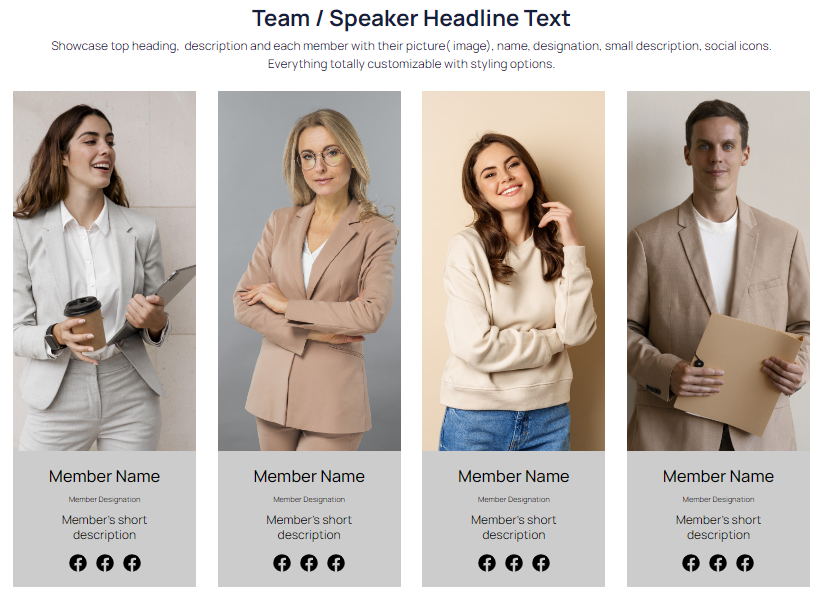
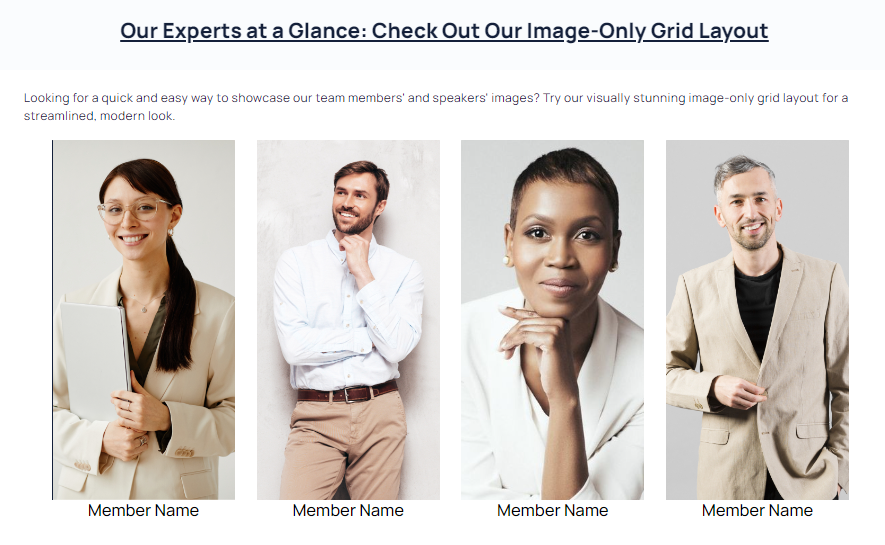
customization


Layouts

Layouts are an important part of any website design, and the Team Member Speaker with Social Icons module provides you with a wide variety of layouts to choose from. With this feature, you can customize the layout of your team member and social icon sections to suit your specific needs and design preferences.

Whether you want a simple, clean layout or a more complex design with multiple elements, the module has you covered. You can choose from a range of pre-designed layouts or create your own unique layout using the module's flexible customization options. With the ability to adjust spacing, alignment, and other settings, you can create a layout that is both aesthetically pleasing and functional.

Some popular layout options include a grid layout, a list layout, and a carousel layout. The grid layout is ideal for showcasing multiple team members and their respective social icons, while the list layout is perfect for highlighting key team members and their roles. The carousel layout allows you to display a rotating slideshow of team members and their social icons, adding an element of interactivity to your website.

With the Layouts feature of the Team Member Speaker with Social Icons module, you can easily create a custom layout that fits seamlessly with the rest of your website design. Whether you're creating a new website from scratch or updating an existing site, this feature provides you with the flexibility and versatility you need to make your team member and social icon sections stand out.

layouts


Conclusion:

The Team Member Speaker with Social Icons module is a powerful tool that allows you to create stunning speaker profiles and showcase your team members with ease. With its advanced customization options, you can add your own personal touch and make your speaker profiles truly stand out. From customizing your speaker's name and bio to adding social icons and contact details, this module provides everything you need to create an engaging and informative speaker profile. With the ability to choose from multiple layouts, you can easily create a profile that matches your website's style and overall design. Overall, the Team Member Speaker with Social Icons module is a must-have for anyone looking to create a professional and polished speaker profile.